ZaatarLABS Get in touch →
THE SMART BILLING · THE SMART BILLING · THE SMART BILLING
All apps

Business iPhone · iPad · Mac
The Smart Billing

The Smart
Billing.

Send an invoice from your phone, and always know who still owes you. Invoices in Arabic or English, with VAT when you need it, sent on WhatsApp. Every unpaid bill, how many days late, and the client one tap away. No account, works offline, your data in your iCloud.
Free for your first 2 clients
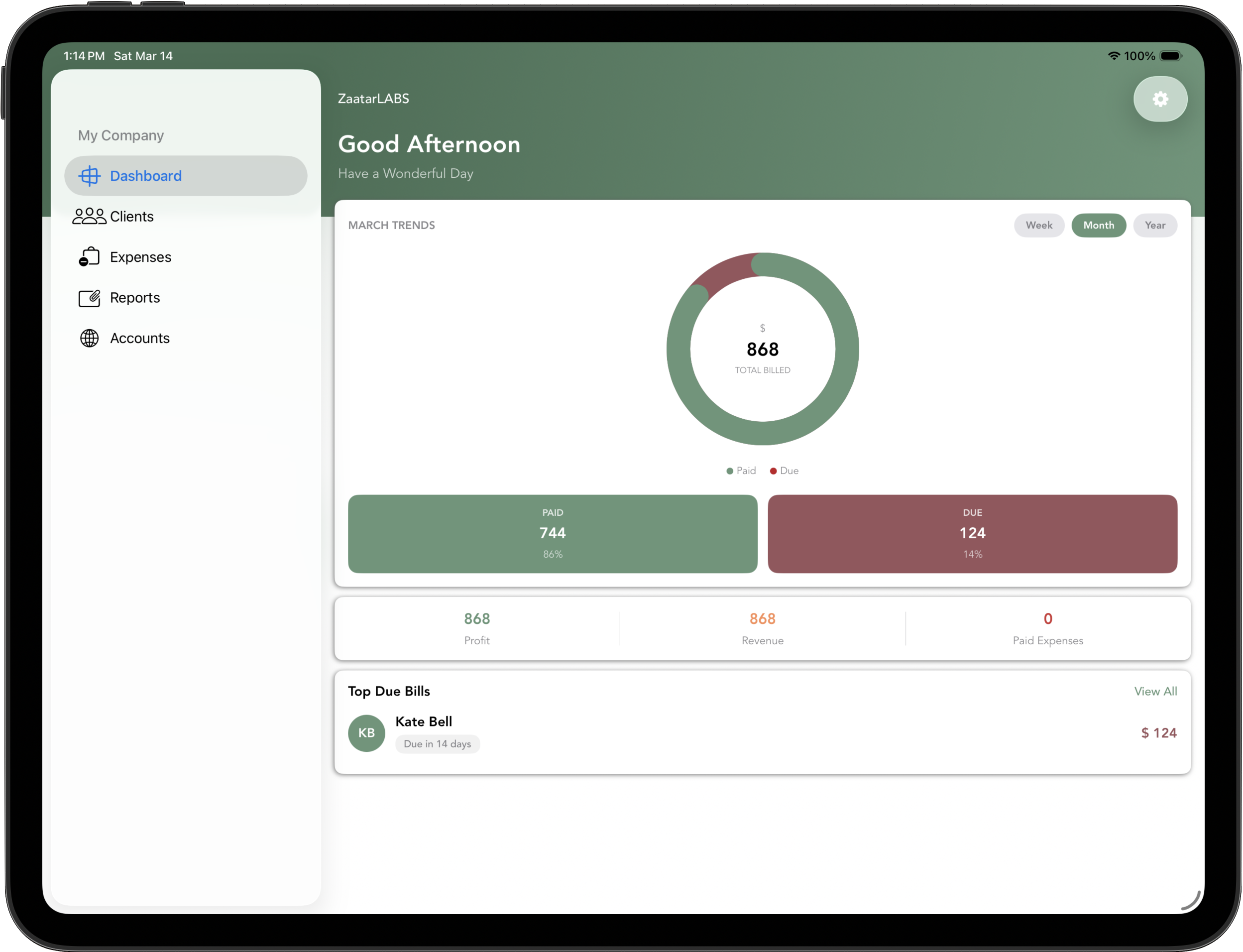
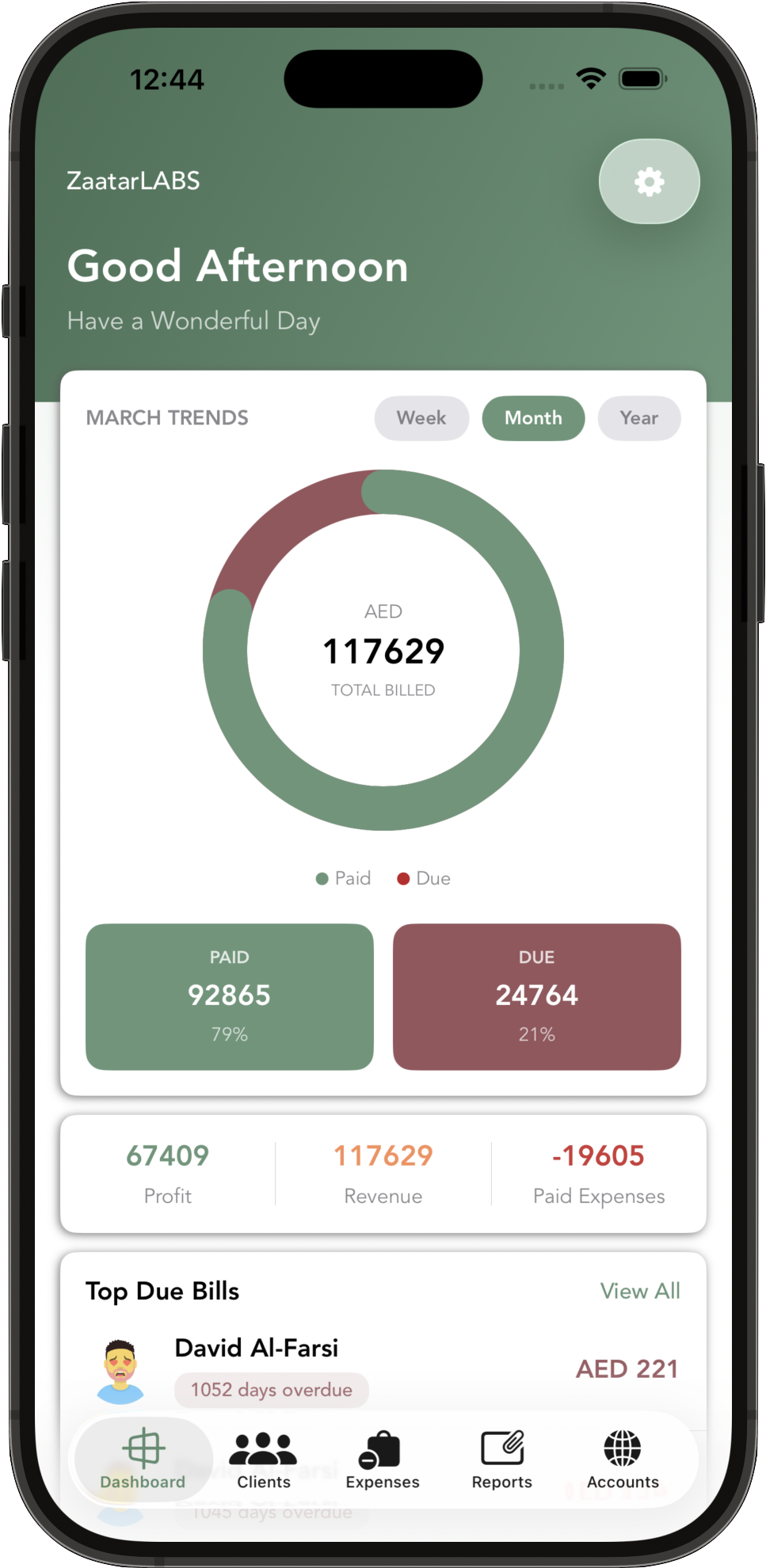
Smart Billing dashboard on iPad: paid versus due, profit, inventory and Top Due Bills Smart Billing on iPhone: an invoice PDF ready to share, with the total and due date
Know who owes you. Chase them in one tap.   —   Invoices, receipts and quotes, in Arabic and English.
How it works

Send the invoice.
Then get paid.

Bill a client in a minute, see every bill that's still open, and chase it from the same screen. On your iPhone, with no account to create.

01 — Arabic or English

An invoice in a minute

Line items, discount, VAT and a due date, then a clean PDF in Arabic or English, shared to WhatsApp or Mail. With VAT on, the invoice shows your VAT number, the client's tax number and the VAT on each line, at your own rate, under a Tax Invoice heading. Arabic and English invoices

02 — Who owes you

Every unpaid bill, in one list

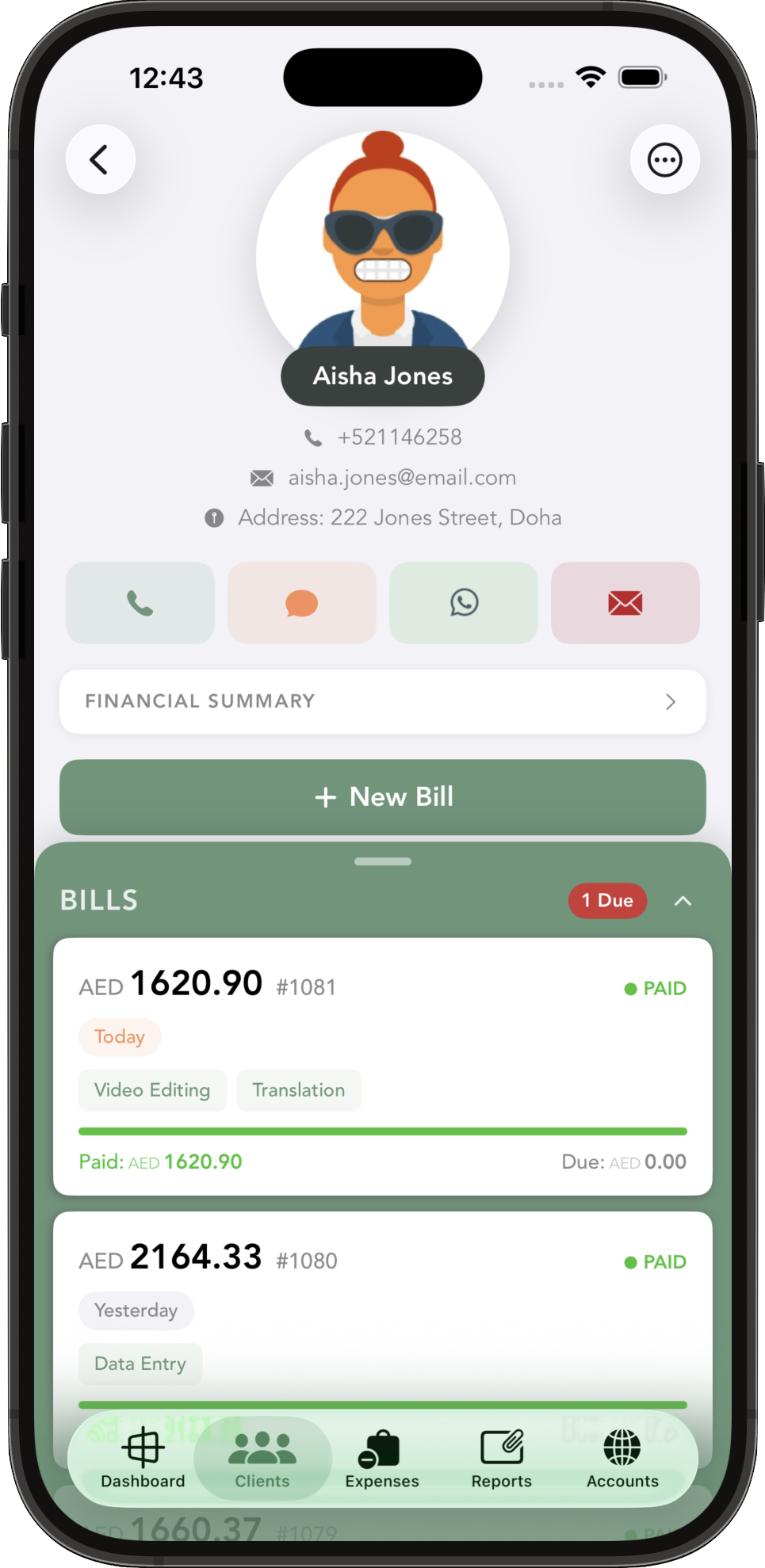
Top Due Bills on the dashboard ranks what you're owed and shows how many days late each bill is. Tap a client to see what they owe, then WhatsApp, text, call or email them in one tap. Track unpaid invoices

03 — Getting paid

Partial payments and deposits

Record a payment in full or in part and the bill shows what's paid and what's still due, with a PDF receipt for the client. Log a deposit up front and it comes off the client's later bills.

04 — Quotes & expenses

Quotes and receipts

Send a quotation with a validity date, and get a reminder the day before it expires. Scan a receipt and the expense fills in the vendor, amount and date for you to check. For sole traders

05 — Stock, profit, businesses

What's left, and what you made

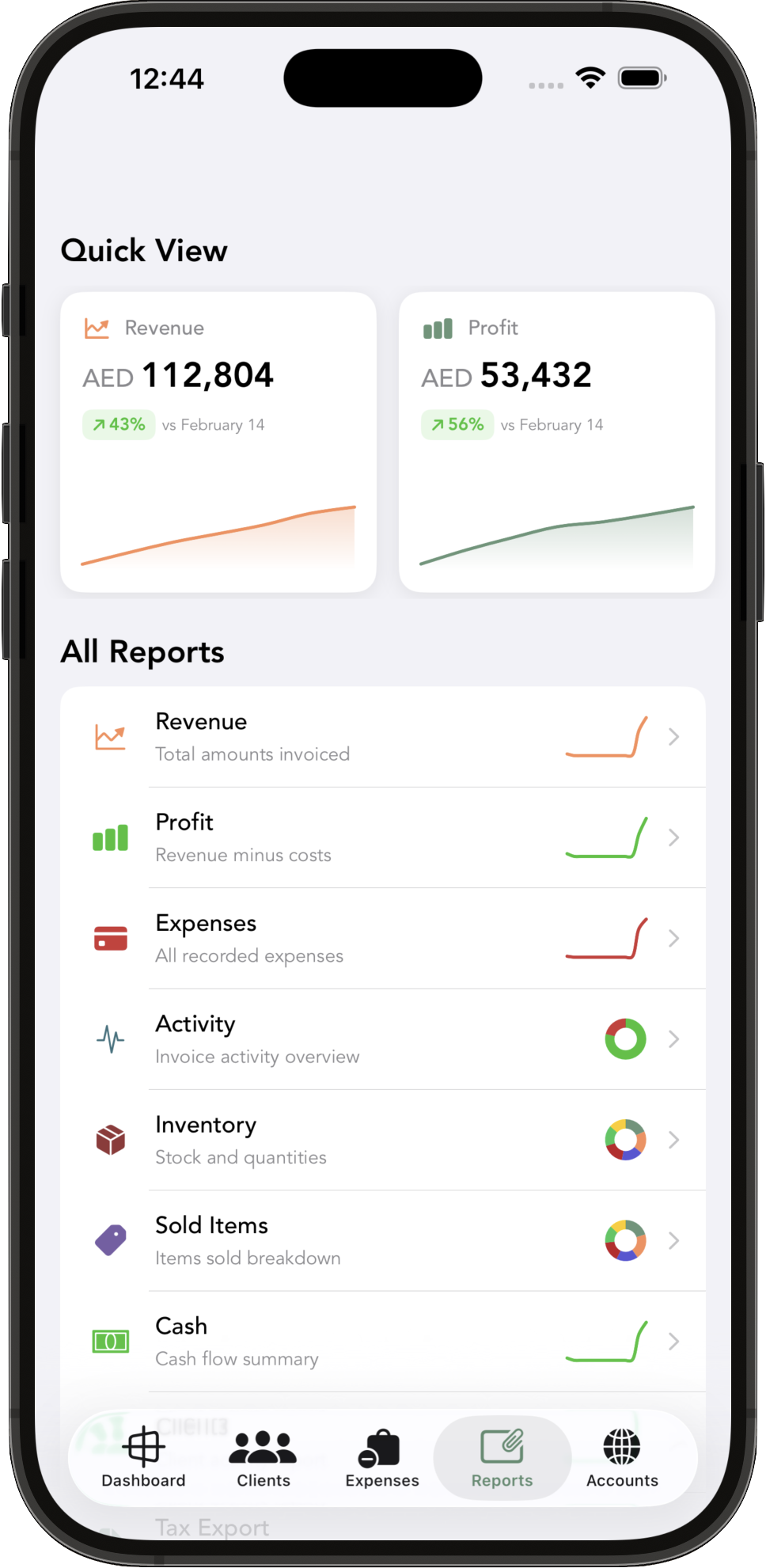
Stock levels and low-stock alerts, profit with loss days in red, cash flow, and a VAT export with a VAT summary for your accountant, all as PDF. With Pro, run every business you own, each with its own books.

06 — Business Assistant

Ask your own books

Ask “Who owes me the most?” and get the answer from your own invoices. It reads, it never edits. Apple Intelligence, on your device or in Apple's Private Cloud Compute, on devices and languages Apple Intelligence supports.

Inside the app

See who owes you
at a glance.

An invoice, ready to send from your phone. Swipe for Top Due Bills with the days overdue, and a part-paid bill showing what's paid and what's still due.

← Swipe the phone · or use the arrows

An invoice PDF ready to share: bill to, items, total and due date Top Due Bills: who owes what, and how many days until due or overdue A part-paid bill: items and total, then paid and still due, with a progress bar
Plans

Free for your first
two clients.

Plans are priced by how many clients and businesses you bill, never by how many invoices you send.

01 — Free

Try it properly.

Up to 2 clients in one business.

02 — Basic

One business.

Unlimited clients and no invoice cap.

$3.99 / month
$39.99 / year

03 — Pro

Every business.

Everything in Basic, for every business you run, each with its own books.

$6.99 / month
$69.99 / year

04 — Lifetime

Pay once.

Everything in Pro, with no renewals.

$149.99
one payment

US prices; local App Store prices vary. Monthly and yearly plans renew until you cancel them in your App Store settings. Lifetime is a one-time purchase.

Guides

Bill it
your way.

01

Arabic & English →

Send an invoice in Arabic or English from your iPhone, with your VAT number and VAT on each line.

02

Who owes you →

See every unpaid invoice, how late it is, and chase it on WhatsApp in one tap.

03

Sole traders →

Quote on site, invoice on the spot, scan the receipt. No login and no invoice cap.

FAQ

Questions,
answered.

More answers on the support page.

Is there a limit on how many invoices I can send?

No. Free covers your first 2 clients. Basic ($3.99 a month or $39.99 a year in the US) is one business with unlimited clients and no invoice cap. Pro ($6.99 a month or $69.99 a year) covers every business you run, and Lifetime ($149.99 once) is Pro without renewals. US prices; local App Store prices vary.

Can I send invoices in Arabic?

Yes. Smart Billing is fully in Arabic, right to left, as well as English, French, Spanish and Italian. Invoices, receipts and quotes follow the app's language, so with Settings → Language set to العربية they come out as Arabic PDFs, ready to share to WhatsApp or Mail. How it works.

How do VAT invoices work?

Set your VAT rate and VAT number in Settings under VAT, and add the client's VAT number to the client. Invoices then show your VAT number, the client's tax number, the taxable amount and the VAT on each line, with the English PDF headed Tax Invoice. You enter your own rate, such as 5%, 15% or 20%. Smart Billing makes the invoice; it does not file or submit anything to a tax authority.

Does it remind my clients to pay?

No. It reminds you: notifications 2 days and 1 day before a bill is due, and 1 day and 7 days after it goes overdue, when those reminders are on in Settings. Top Due Bills shows who owes you and how many days late they are. From any client you send the reminder yourself, in one tap, on WhatsApp, SMS or email.

Can clients pay by card from the invoice?

No. Invoices don't carry a card or online payment link. You record payments in the app as they arrive, in full or in part.

Do I need an account, and does it work offline?

No account and no login. The app works offline, and your data syncs between your devices through your own iCloud.

Can I run more than one business?

Yes, with Pro or Lifetime. Each business has its own clients, invoices, expenses, currency and reports, and you switch between them from the dashboard.

Know who still owes you.

Send your first invoice in a minute. Free for your first 2 clients.